 Compact Car
 Convertible
 SUV
SUV Coupe
Coupe Pick Up
 Hatchback
 Van/MiniVan
 Sedan
Sedan Wagon
WagonSteps
Buying a vehicle at Autowini has never been easier!
Just choose what you want and follow the simple steps below.

STEP 1
Booking
01Check the item details
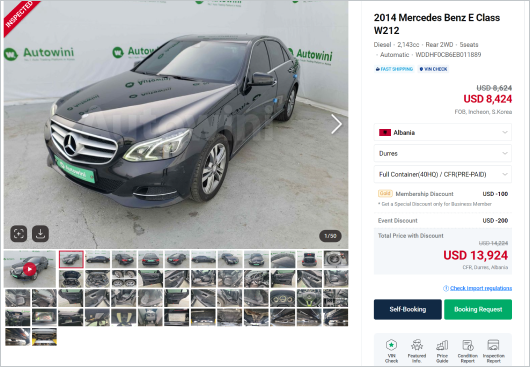
Search for the vehicle you want to purchase and check the item details on item details page. Autowini provides the condition report, inspection report, and featured information based on vehicle’s insurance history using the VIN number. Also, compare prices of the same models to browse more vehicles.
02Check the quotation
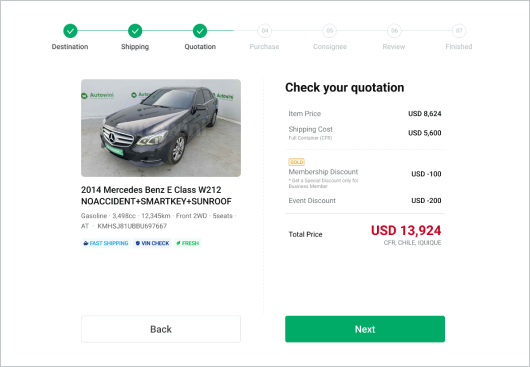
If you want to book immediately, click 'Buy Now'(Membership or deposit required); if you want to make a booking request, click 'Booking Request'. You can select shipping destination and shipment options step by step to see the total price including shipping cost to your country.
03Request a booking
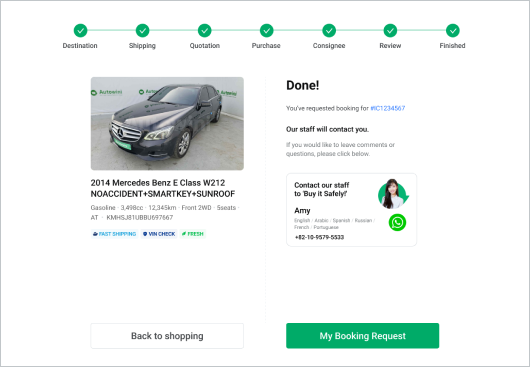
If you have submitted a 'Booking Request,' Autowini staff will check the availability of the vehicle and contact you within 1 business day. We will assist you with the booking process.
Please note that this is a request-only and NOT an actual booking. If you want to book the vehicle right now, please proceed with "Buy Now".
04Buy now & Get a discount
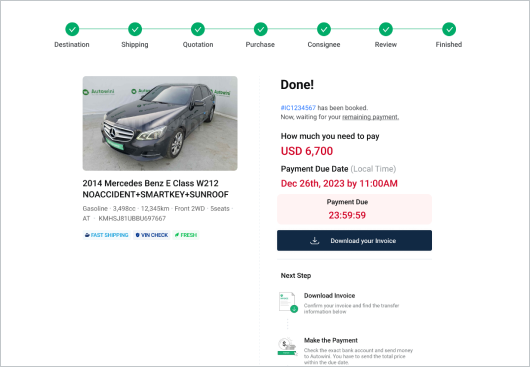
Through the 'Buy Now' option, you can book immediately and get an additional discount! To proceed with 'Buy Now,' you need a minimum deposit of $100 in your "My Wallet" page. Please note that there is a $100 penalty if the payment is not completed within the invoice validity period.
For more details, please refer to the "Buy Now" page.

STEP 2
Payment
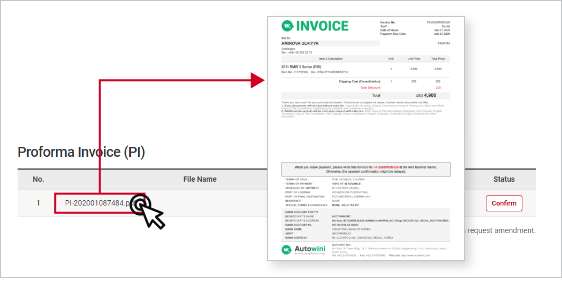
01Check your Invoice
Check the invoice in your email or download it from “My Order” page. Confirm the information before you go to the bank. If you want to edit the information, please contact your staff. The vehicle will be reserved for you for the payment due date.
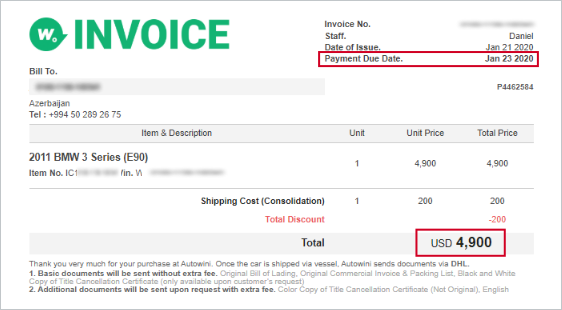
02Submit payment to Autowini
Transfer the money to Autowini’s bank account within the payment due date stated in the Invoice. Make sure to remember the payment deadline. If the payment is not made within the due date, your booking will be cancelled automatically and the vehicle will be sold to the next buyer.
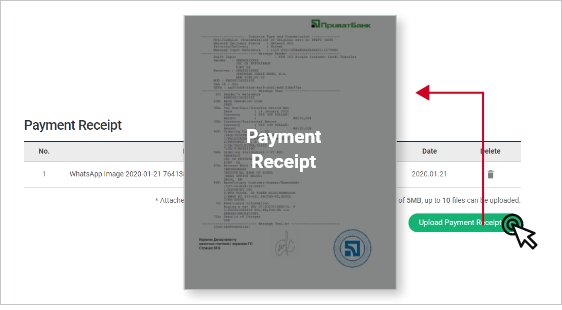
03Upload Bank Transfer Receipt
Once you've transferred the money to Autowini, upload the bank receipt on the “My Order” page. After the payment has been verified, your booking will be processed to the next step, which is shipping.

STEP 3
Shipping
01Waiting for shipping schedule
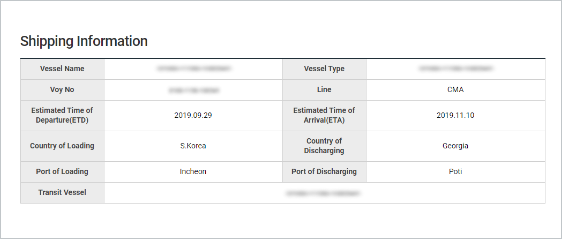
After the payment is finished, Autowini shipping team will book the fastest vessel schedule available. Once scheduled, shipping information will be updated at “My Order” page. You can also get the alarm via Autowini app application.
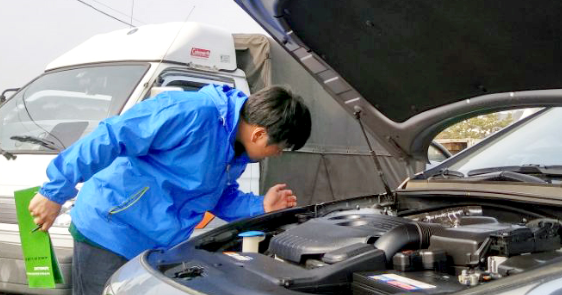
02Quality Check at the port
Your vehicle will be relocated to Autowini port yard from the Seller’s yard, where Autowini Q.C. process begins. Autowini Q.C team will check to make sure your vehicle is in same condition as advertised. We check below.
- Vehicle’s basic information, model, year and, chassis no.
- Engine volume and fuel type
- Engine and transmission’s working status, running and, drivable condition.
- Major functions such as A/C, 4WD’s working status
If the vehicle does not pass our Q.C test, it cannot be shipped and it will be returned to the Seller. Only the vehicles which are in “Run & Drive” conditions will be shipped on the vessel.
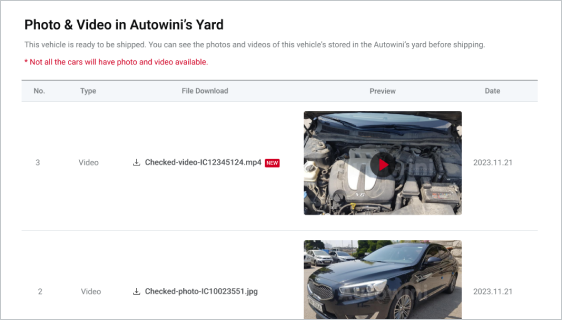
03Check video at the port
After the quality inspection, we will capture a video of your vehicle. You can access the updated video on the “My Order” page to assess your vehicle's current condition at the port. You can also get the alarm via Autowini app application.
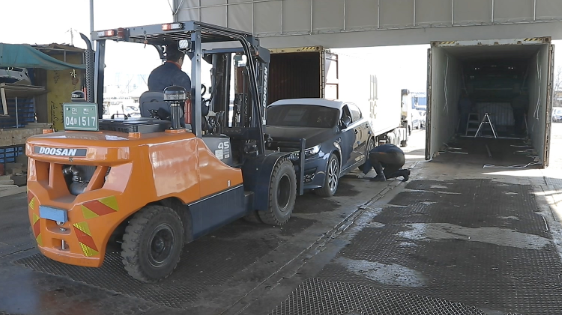
04Load your vehicle into a Vessel or a Container
Your vehicle will be loaded into a Ro-Ro Vessel or a Container. Usually 3-4 vehicles are put together into a container and secured with ropes and bars inside. This work is called ‘Shoring work’ and you can download your vehicle’s container shoring photos after a few days of loading.
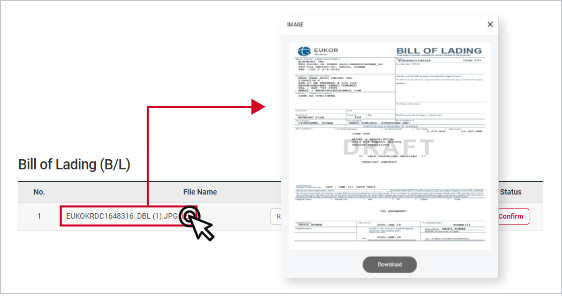
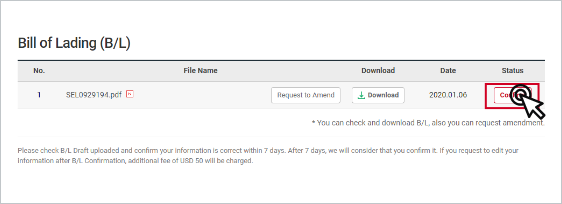
05Check the Draft B/L
After the 5~10 days of vessel departure, the Draft B/L will be uploaded at ”My Order” page. Check the information carefully and ask for a change if the information is incorrect.
06Confirm the B/L
After checking the Draft B/L, click the confirm button at ”My Order” page. Finally, the Original B/L will be issued. Original B/L is an essential document in order to get your vehicle at the port.
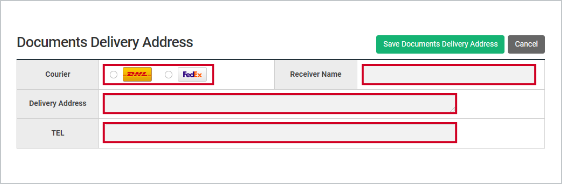
07Fill out the Documents Delivery Address
Fill out the exact address where your documents should be delivered to. Autowini dispatch the shipping documents using DHL or Fedex. Please refer to the document types we send. Some docs might require an additional fee. (Click)

STEP 4
Receive it!
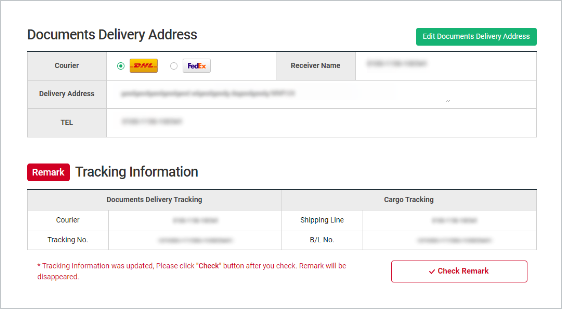
01Receive your Documents
Once Autowini send you the shipping documents to the address you've provided, tracking number will be provided for your documents. This will be updated at ”My Order” page. Track your documents and receive them. Make sure to secure your documents well because it will not be sent again.
In certain countries, we provide electronic documents only. You can download the file in "My Order" and print it out for customs clearance.
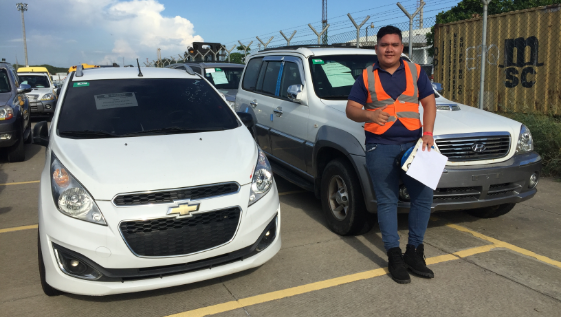
02Time to receive your car!
You can check the vessel’s estimated arrival date(ETA) and track the vessel location via shipping liner's tracking page. Once it arrives to your port, it is time to receive your car! When you receive your vehicle, follow the customs process, pay the tax, and clear the vehicle in accordance with your country's importing regulations.
Thank you so much for your patience and for going through this wonderful journey with us!
FIND OUT MORE
-
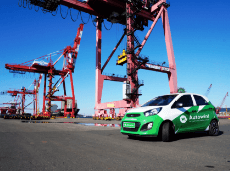
- Buy it Safely!
- Explore benefits of buying at Autowini!
-

- Buy Now! (Wallet)
- Charge your Wallet and buy your car Anytime!
-

- Steps
- Follow the steps to get a quotation and invoice.
Current Page
-

- How to Pay
- Confirm the bank account information
-
- Must-know for buyers
- There are some must-knows before purchase.
-

- Videos
- Get started easier with video tutorials.
-
- FAQ
- Refer to frequently asked questions.
-

- Business Membership
- Upgrade your membership and get the privilege.